
Built for desktop review, organisation and reporting
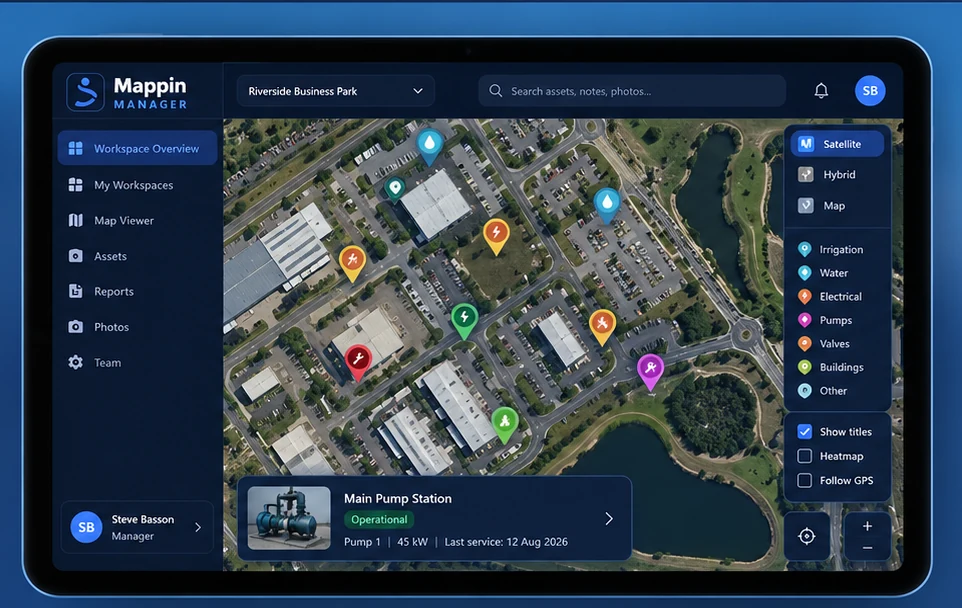
Manager is the desktop companion for approved workspaces: map review, KMZ/file import, search and filters, asset editing, media review, reporting, sync control and workspace oversight.
Install the Windows management companion for authorised workspace access, imports, review, editing and detailed reporting.
Manager does not gain access to a workspace simply because it knows the Workspace ID. Access is approved from Mappin Mobile first.
Manager is the desktop companion for approved workspaces: map review, KMZ/file import, search and filters, asset editing, media review, reporting, sync control and workspace oversight.
Single, Multi-Workspace and Master access determine Manager capability, while each ordinary workspace remains separately authorised unless Master access applies.